
Help
Something not working, or a question we haven't answered here? Email us at hello@mipandfriends.com. We read every message and reply as soon as we can.
Paint with Pip: common questions
Where are the settings?
Settings are in Grown-ups. Tap the button at the top left of the home screen (your child's picture) to open “Who's playing?”, then tap Grown-ups at the bottom and answer the grown-up question.
What's the grown-up question?
A multiplication written in words, such as “seventeen times nine”, answered on a number pad. It keeps children out of the settings and asks before the first save to Photos. It always says what it's for. After two wrong answers it waits a minute.
How do I add, rename or remove a child?
In Grown-ups, tap Add a child (up to six), or tap a child to change their name or age, or to remove them. Removing a child deletes everything they made, so the app asks twice.
How does my child change their picture?
On “Who's playing?”, tap the yellow pencil under their name. They can choose any sticker they've collected, in their own colours, or one of the four they start with.
What does my child's age change?
Only how hard the puzzles are: more jigsaw pieces, more pairs, more dots to join. Every age has every picture, colour and sticker, and the same big buttons.
How do stars work?
Children earn stars by playing: finishing a picture (the first finish of a picture each day earns the most) and finishing puzzles. They spend them on stickers, glitter, patterns, frames and new looks for the app. Stars can't be bought with money, and they're never lost.
Can we use it on more than one iPhone or iPad?
Yes. In Grown-ups on each device, turn on Sync with iCloud, with both devices signed in to the same Apple Account. On a new iPad, the first screen offers “Already use Paint with Pip on another iPhone or iPad?” to bring your children across.
If both devices already have children, the app asks you which child is which (“Who's who?”), so nothing is merged by mistake.
We have a new phone. Will my children's progress come across?
Yes, if you set the new phone up from a backup of the old one: everything comes back with the app. If you use iCloud sync, the new phone can also bring it down from iCloud.
How do we save a picture to Photos?
On the colouring screen, tap the button at the top right, then pick a frame. If you said no when asked about Photos, open the Settings app, find Paint with Pip, tap Photos and choose Add Photos Only.
How do I turn the sound or music down?
In Grown-ups there are switches for Sound effects and Music, each with its own volume. The silent switch turns all of Paint with Pip's sound off. If you're already listening to music or a podcast, Paint with Pip's music stays quiet and yours keeps playing.
Who is Pip?
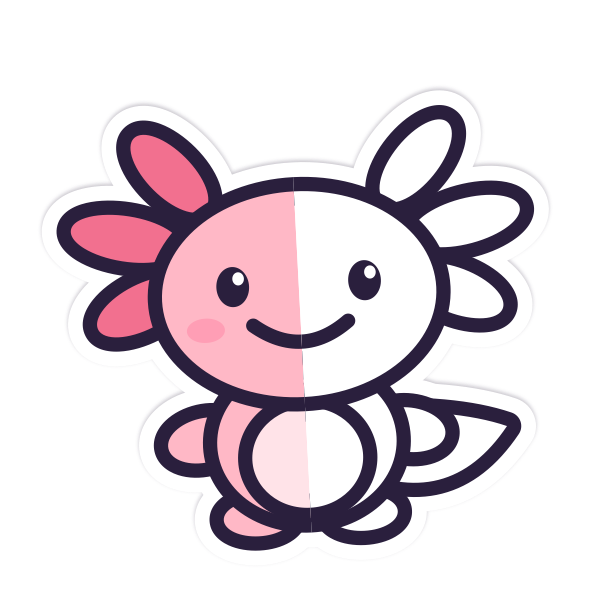
Pip is the app's axolotl, half coloured in. Now and then Pip pops onto the menus for a few seconds; tap Pip to say hello. Sometimes it's Pip's friend Mip. Pip never appears while your child is colouring or doing a puzzle. To turn Pip's visits off, use Pip visits in Grown-ups.
Which languages does it speak?
Paint with Pip follows your device's language where it can. To choose a language for this app alone, open the Settings app, find Paint with Pip and tap Language.
How do I delete everything?
See Deleting everything in our privacy policy.
Still stuck?
Email hello@mipandfriends.com. Telling us which iPhone or iPad you have, and what you were doing, helps us help you.